Best Monitor Arms for Small Desks UK 2026
The monitor arms and stand options that make sense when a compact desk needs more usable depth, not more furniture.
A monitor arm is one of the few accessories that can make a small desk feel bigger without buying a bigger desk.
That only works if the arm suits the desk. A heavy clamp on a hollow desktop is not an upgrade. A deep freestanding base on a 50cm desk can be just as awkward as the monitor stand it replaces. The right choice depends on how solid the desk is, how often the monitor moves, and how much rear clearance the room gives you.
For individual arm and accessory reviews, use the monitor arms and desk accessories hub. If the desk itself is still undecided, start with the small desks hub before choosing a clamp.
The quick picks
Best budget clamp arm
BONTEC Single Monitor Arm Desk Mount
This is the sensible cheap choice for one normal 24 inch or 27 inch monitor on a solid desk. It supports common VESA sizes, uses either a clamp or grommet mount, and gets the original monitor foot off the desk surface.
- Best for: solid desktops, one monitor, budget setups
- Why it stands out: low price, good basic adjustability, real surface-space gain
Best premium arm
Ergotron LX
The Ergotron LX is the one to buy if the monitor gets moved often. It costs much more than the budget arms, but the movement is smoother, the finish is cleaner, and the whole thing feels less disposable.
- Best for: expensive monitors, daily adjustment, long-term setups
- Why it stands out: smoother movement and better build than cheap arms
Best no-clamp option
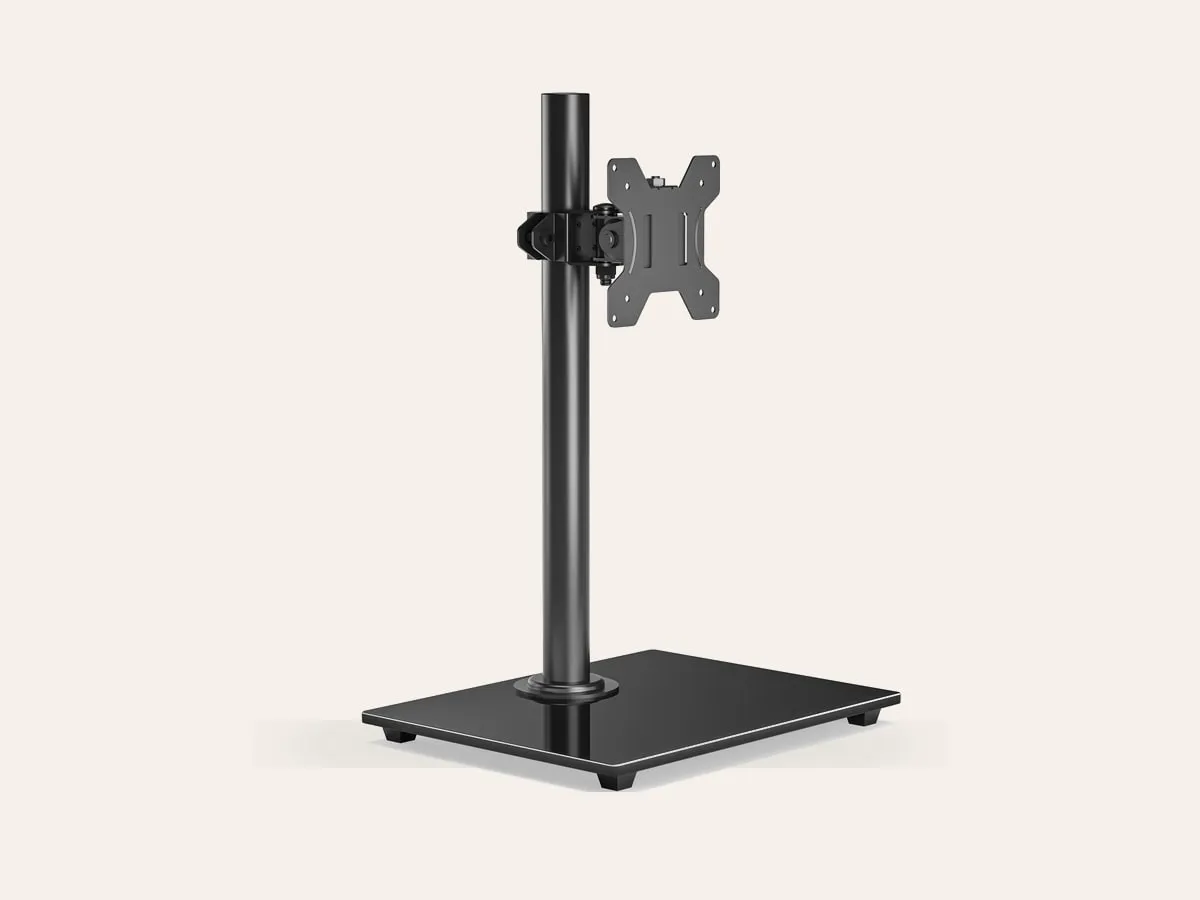
BONTEC Freestanding Single Arm Monitor Stand
If the desk cannot take a clamp, a freestanding VESA stand is safer. It still lifts the monitor and gives height adjustment, but the base sits on the desk rather than biting into the rear edge.
- Best for: rented furniture, glass desks, weak desktops
- Why it stands out: avoids clamp pressure and still improves monitor height
Best add-on for thin desktops
Duronic DMSC1 Reinforcement Plate
This is not a monitor arm, but it belongs on the shortlist. A reinforcement plate spreads clamp pressure over a wider area, which can make a monitor arm safer on thinner desks.
- Best for: clamp arms on laminate or thinner wood tops
- Why it stands out: cheap protection for the desk surface
Clamp arm or freestanding stand?
Choose a clamp arm if the desk is solid, the rear edge is accessible, and the monitor stand is stealing too much usable depth. This is the best way to reclaim surface area.
Choose a freestanding stand if the desk is glass, hollow, fragile, borrowed, or awkwardly shaped. It will not free as much space, but it avoids the risk of crushing or marking the desktop.
For a desk under 80cm wide, the clamp decision matters even more. Many tiny desks use light boards and narrow rear rails. Check the underside before buying any clamp arm.
The desk depth question
Monitor arms help most when depth is tight. On a 50cm deep desk, a monitor with a large stand can push the keyboard too close to the front edge. An arm lets the screen sit farther back, often with the keyboard tucked partly underneath the display.
For a single 24 inch monitor, this can make the difference between a desk that feels pinched and one that works. If you are still choosing the desk itself, read What Desk Depth Do You Need for a 24-Inch Monitor?.
What to check before buying
VESA mounting
Look at the back of the monitor. Most arms need 75 x 75mm or 100 x 100mm VESA holes. Some budget monitors hide the holes under the original stand plate. Some very slim or all-in-one displays do not support VESA at all.
Monitor weight
Do not only check the screen size. Check the weight without the original stand. A 27 inch office monitor can be much lighter than an older 24 inch display. Stay comfortably below the arm's stated limit.
Rear clearance
Clamp arms need room behind the desk. If the desk is tight against a wall, the arm may push the monitor too far forward unless you leave a small gap.
Desktop material
This is the big one. Clamp arms are a bad idea on glass, very thin tops, hollow-core boards, and soft particle board. If the desk dents easily, use a reinforcement plate or choose a freestanding stand.
When a monitor arm is the wrong fix
A monitor arm will not solve everything. If the desk is too shallow for your eyes to sit a comfortable distance from the screen, the arm cannot create a deeper room. If the desk wobbles, adding a clamp-mounted arm can make the wobble more obvious. If the monitor has no VESA mount, the adapter route often becomes messy.
In those cases, a small monitor riser, a better desk layout, or a different desk can be the cleaner answer.
The bottom line
For one normal monitor on a solid compact desk, start with a budget clamp arm like the BONTEC. If the monitor is expensive or moved constantly, step up to the Ergotron LX. If the desk is fragile, skip the clamp and use a freestanding stand.
The best monitor arm for a small desk is not the strongest one on paper. It is the one your desk can safely carry.
Where to go next
Continue from this article into the most relevant compact setup guides, reviews, and hubs.
Hub
Monitor arms and desk accessories hub
Compare monitor arms with other space-saving desk accessories.
Read next
Hub
Small desk hub
Start with compact desk reviews and guides grouped by room size and setup type.
Read next
Hub
Small office chairs hub
Compare chairs for small desks, bedroom corners, and tuck-away setups.
Read next